
Orange is the best color. That’s it. That’s the tweet.
You might be tempted to pick up a hot pocket from the gas station because you fancy a warm morning meal and they have a microwave. Do not do it. It will not taste good and you will regret it.
The more I think about my blog as my personal-but-public online journal and less as a “capital-W” Website, the more I appreciate (and long for) Tumblr’s tools for easily dumping just about anything onto a webpage at your own domain and having it look pretty good.
I’ve been intrigued by the Johnny Decimal system since hearing about it first on Hemispheric Views and then again on Ruminate. I think I would love it. But I struggle with the idea that I’d have to recreate the system in all my apps that have their own data organization structure. And that I’d have to make the upfront time investment to move all my existing stuff into that system. I should probably do the workbook.
I’ve always considered myself an app-first guy. But I might be turning into a web-first devotee. I still think native apps offer the best experience for creating and consuming, but I’ve come around to the idea that the “one true source” should live online where everyone can get it. Still pondering…
🔗
Pick any idea Steve mentions and you’ll find it again and again throughout his life. What you see in Make Something Wonderful is Steve’s process of observation, learning, and revision. His world view and vision of a brighter future sharpen as he tries and makes mistakes.
Add to that the sheer amount of time covered in the book. Many of Apple’s breakthrough ideas like the iPhone were there in Steve’s words, but took decades to come to fruition.
Another poignant observation.
This book taught me that my life is just a blip in the timeline of humanity. It is up to me to decide how I will use it. Steve’s words show not just what can happen if I dedicate myself to making something wonderful. They also show the tremendous amount of hard work and time that it can take.
Make Something Wonderful will remind me to follow my curiosity and to keep trying and failing.
Today’s adventure: 5 pitches of über-classic Gunks routes with a dear friend. A crisp, late fall day with gorgeus views but surprisingly few folks at the cliff to share them with. Few things can quiet my mind while simultaneously requiring intense focus and intricate movement like climbing.🧗




All this talk of custom GPTs has my mind racing with plausible ideas for how AI/ML could solve specific problems that I face — using tech that seems entirely possible in the near future.
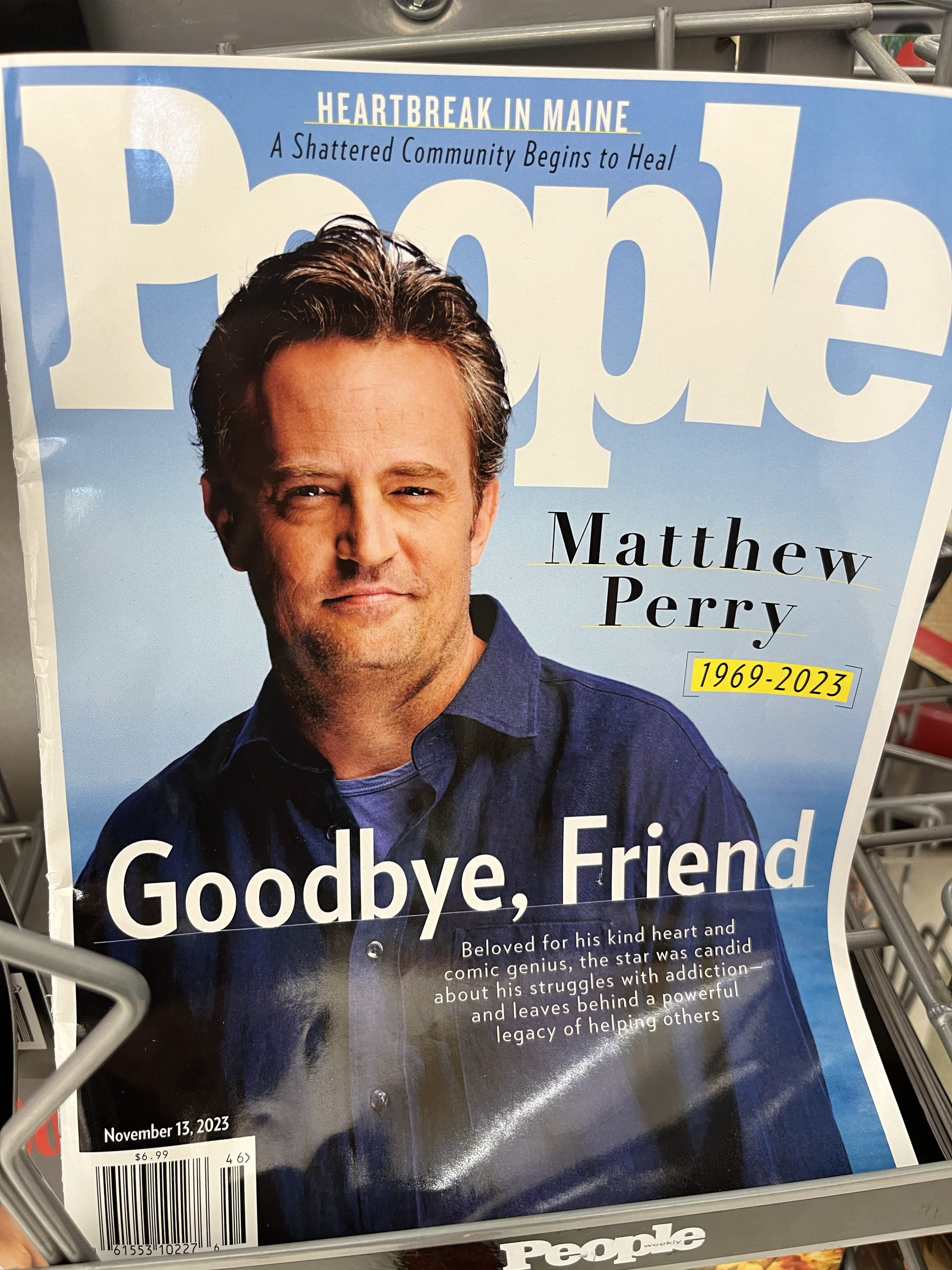
Well done, People
🔗
Since all the cool kids are doing it, I’m jumping on the bandwagon in my first Hey World blog post!
Scratch that @burk, you have changed blogging. You guys inspired someone to write their very first blog post!
I just released version 1.0 of my ‘Create Task with Drafts Notes’ shortcut, inspired by @viticci@macstories.net and @johnvoorhees@macstories.net on AppStories:
Use Apple Shortcuts to automatically create both a Things to-do and a Drafts note with links back to each other.
Get it here from the HeyDingus Shortcuts Library.
Home sweet home for the night. 🚙⛺️

🔗
What happened next was not standard issue Hemispheric Views. We slowly began to see people in the Hemispheric Views community create blog posts listing their default apps. This first spread slowly, then quickly to people who had never heard of the podcast but wanted to blog about their defaults as a movement […] to join in on. […]
We didn’t change blogging, the internet, or the world. But it sure made for an excellent side quest from this thing we call life.
🥰 A heartfelt post from @Burk about the silly fad he inadvertently started with @martinfeld and @canion.
Nilay is onto something here.
Said another way, a wearable product has to be way more useful for you to tolerate it being on your face. But I’d also posit that the threshold of necessary usefulness goes down the more inconspicuous the gadget is compared to “normal”, non-smart accessories.
What’s the over/under on every Apple event being filmed on iPhone from now on? I’m thinking it’s quite likely that we’ve seen our last one done with traditional camera. It’s so big a flex (and helps inform them of its shortcomings) that I’d give it an 80% chance.
How long before Squarespace (Wordpress, Ghost, etc.) works a personalized GPT into their built-in site search? Instead of searching for terms, visitors could ask questions that are informed specifically by everything you’ve posted to your site and read the generated text instead of your blog posts.
🔗 So Far, A.I.-Generated Images of Current Events Seem Rare in News Stories – Pixel Envy
And seeing those posts changed my mind about the use of these kinds of images. When I first wrote about this Crikey story, I suggested Adobe ought to prohibit photorealistic images which claim to depict real events. But I can also see an argument that an image representative of a tragedy used in commemoration could sometimes be more ethical than a real photograph. It is possible the people in a photo do not want to be associated with a catastrophe, or that its circulation could be traumatizing.
🔗
When I reflect on what twenty-five years of blogging means, mostly it’s the persistence: my blog is still here, still publishing new content, at the same URL as when it was launched, and with almost all of the archives intact and readable. It’s not hard to do, but few do it, and when I’m blogging I’m continuing my commitment to digital longevity.
A worthwhile goal. He says it’s not hard, but I’m just a few years into blogging and, several migrations later, I can tell you that it’s not easy either.
🔗
Other features include uptime monitoring, extensive filtering controls, and some fun items like old-school hit counters and webrings as well as the ability to track kudos (i.e., page “likes”). On top of everything else, Tinylytics respects user privacy. Tinylytics doesn’t store anything that could be personally identifying, such as IP addresses and user agent strings (more info), nor does it set any cookies.
So happy to see the private and simple @tinylytics start to get the attention it deserves!
🔗
And now, checkout screens everywhere, from in-person stores to delivery apps, have added buttons designed to make it easier for you to tip.
That’s convenient, until it’s not. According to a new Pew Research Center report, tipping culture in America has seen a shift in recent years. Seventy-two percent of Americans say tipping is expected in more places than five years ago. Not all of that is tech-related, but it’s hard to deny the role checkout screens have in tipflation.
I’m still unsure, should a non-waitered meal be tipped?
🔗 The Future of My Computing // P. I. Moore
In 2007 I made my official — and what I thought would be permanent — switch to the Mac platform when I got my 24-inch iMac, and Windows became my new legacy OS. It felt somewhat weird but also cathartic to use a system that I didn’t have to mess around with. It had a powerful UNIX base which I could get my hands dirty on, but only if I wanted to. Unbeknownst to me there was a huge paradigm shift happening around this in my computing life, even if it was only subconscious at the time.
Head up! We have entered the holiday return period for Amazon when you have until Jan 31 to return most products. Or, as I call it, the “2.5-month free trial period”. This will be great for some new experiments.
Credit where it’s due, I’m finding tons of cool stuff on Threads. The concentration of great writing, photos, and videos is perhaps the best I’ve seen on any platform. I’m eager for ActivityPub support so that I can interact from my own domain, but (🙊) that For You feed might be hard to give up.